Docplanner AI Assistant
Docplanner, a leading digital healthcare platform, has been investing in AI-powered tools to support doctors and clinics in streamlining their daily workflow and patient communication. In 2024, I joined the team as a Senior Product Designer to help shape and deliver Noa, our AI assistant for healthcare professionals — designing experiences that reduce administrative burden, automate routine communication, and support doctors in focusing on patient care.
Role
Product Design
Designed for
Responsive web, Mobile App
Scope
Product Strategy, Product Research, UX Research, User Testing, UI & Prototyping
DSGN
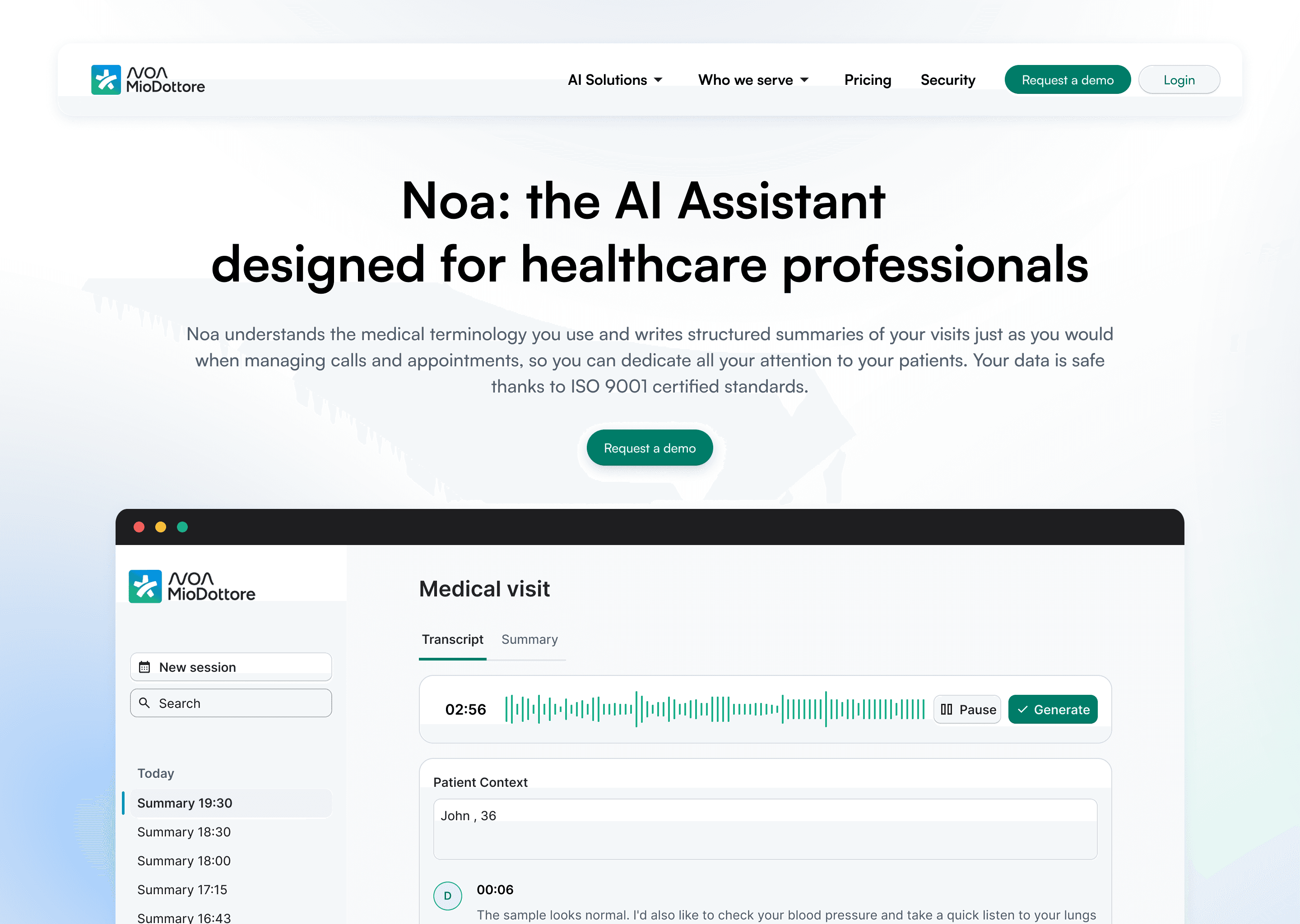
Problem / Opportunity
AI has now become part of our everyday workflow. As a business, Docplanner needed to “ride the wave” of emerging tools. There was pressure from both stakeholders and investors to take advantage of this moment — to innovate and, clearly, to profit.
Docplanner’s mission is: “Making healthcare more human.”
So… how do you make the system more human?
Well — by using AI, obviously.
More specifically, by using AI to solve two main problems for doctors:
1. Making visits feel more human for patients.
If an assistant takes notes, doctors don’t need to stare at a laptop. They can actually look patients in the eyes, create a real connection, and focus.
2. Helping doctors see more patients without losing quality.
More efficiency, without compromising attention.
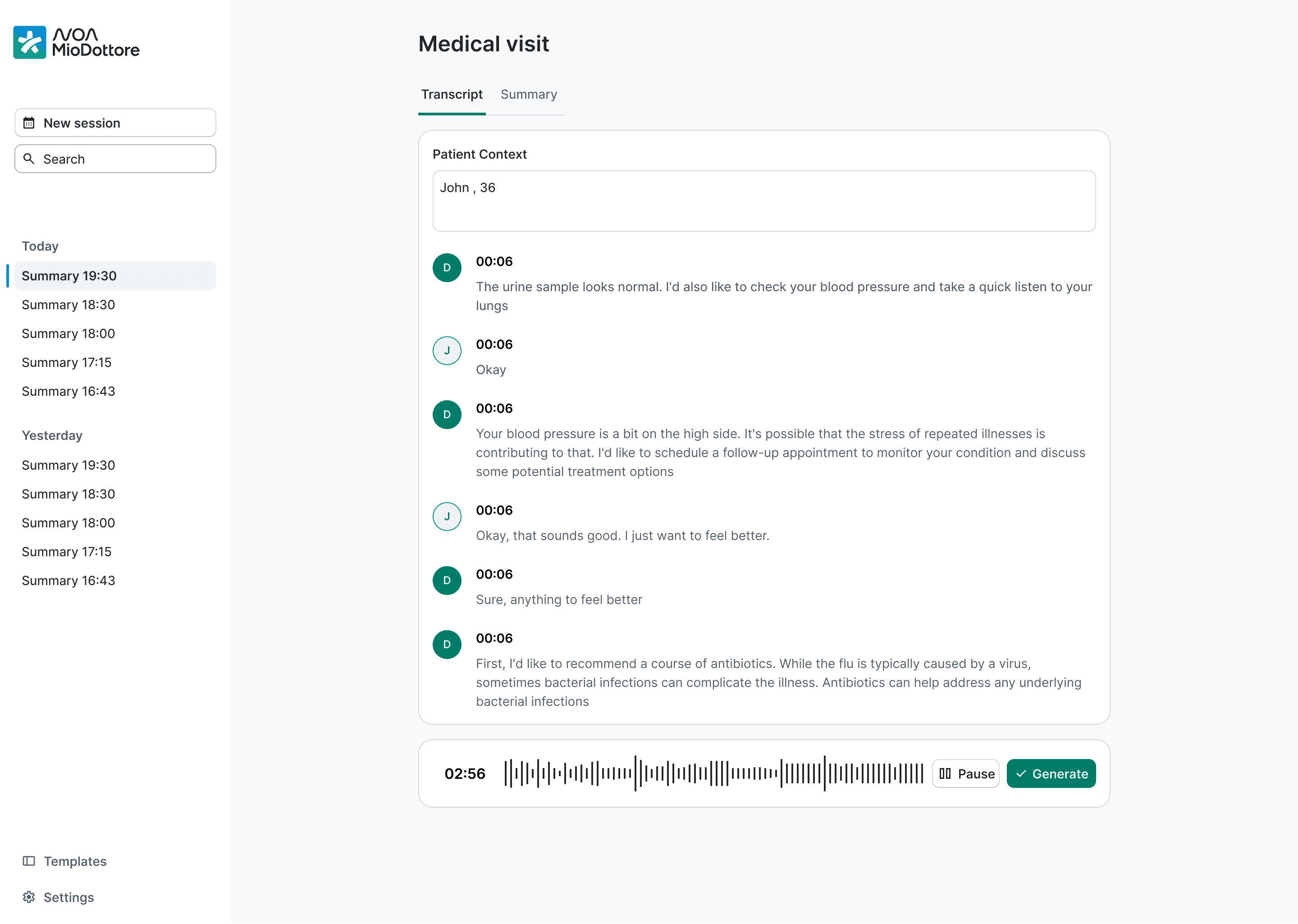
Team & Starting Point
I was moved from my previous team into the newly formed AI Assistant squad — which, to be honest, was a bit of a hotpot:
no product manager, one FE, two BE developers, a team lead, and a content designer.
The working approach was very “feature asks.”
To paint the exact picture: a high-level stakeholder scheduled a meeting, showed me a roadmap — a list of features and dates. I had no idea where these features came from, why they were prioritised that way, or what they were based on.
“We discussed this with Mariusz (CEO) and we kind of agreed to this roadmap”
Instant red alert.
I’m not saying those features shouldn’t be built, but… what is the long-term vision?
If we want something scalable (and if design + dev time is valuable), we need clarity.
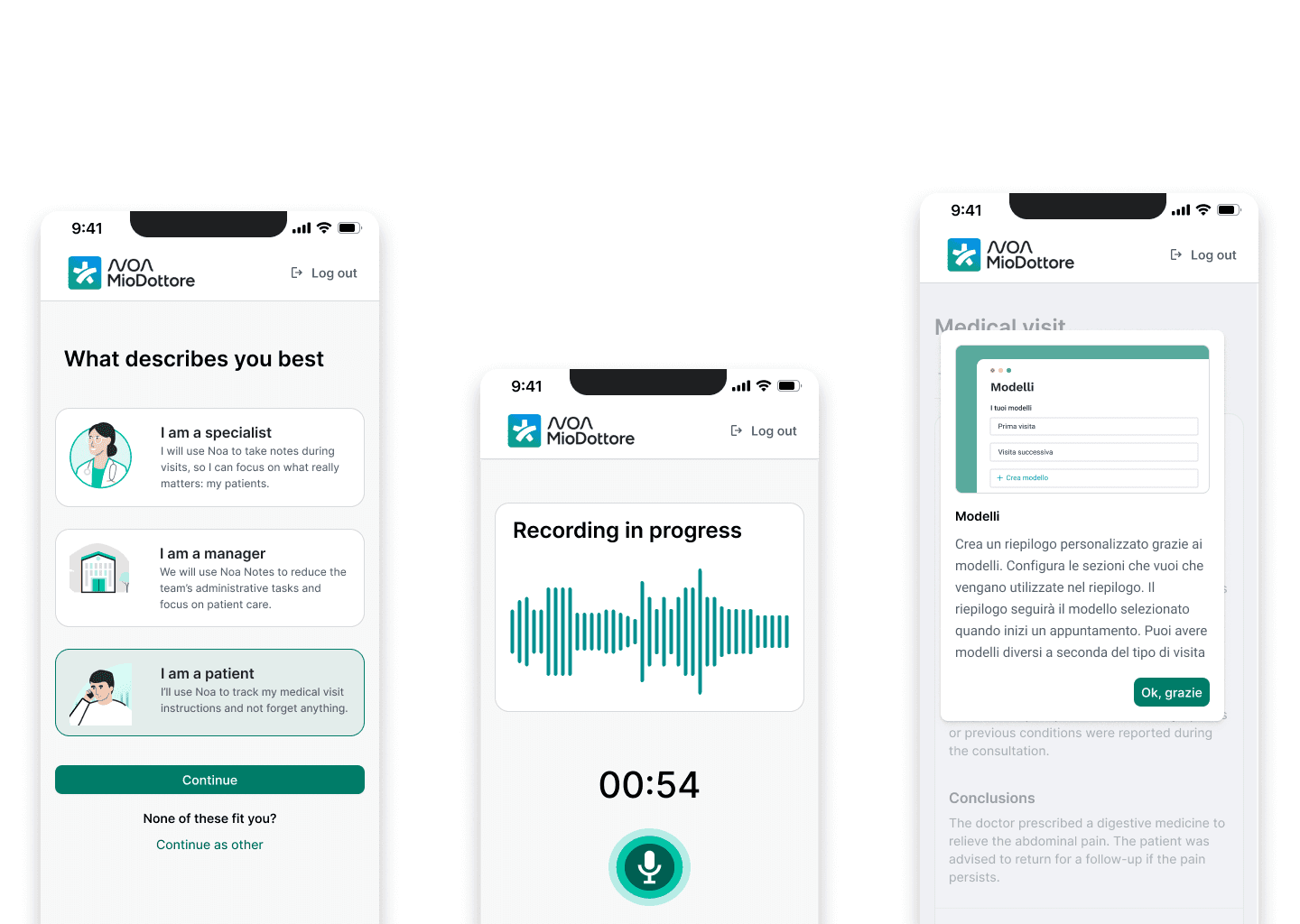
Creating a Vision … and a Team
My first step was talking to the people who actually had context: customer support, product experts (the ones speaking directly to doctors), country managers, and other stakeholders.
Time is precious for stakeholders — especially when design is not their priority — so I created a follow-up focused entirely on one thing:
The vision for the product.
This helped us avoid:
• the feature factory approach
• the “let’s do this → no wait → maybe that” chaos
• the feeling of being on a drifting boat with no direction
And it gave us:
• a sense of purpose
• alignment
• excitement
• and honestly, the feeling of becoming an actual team
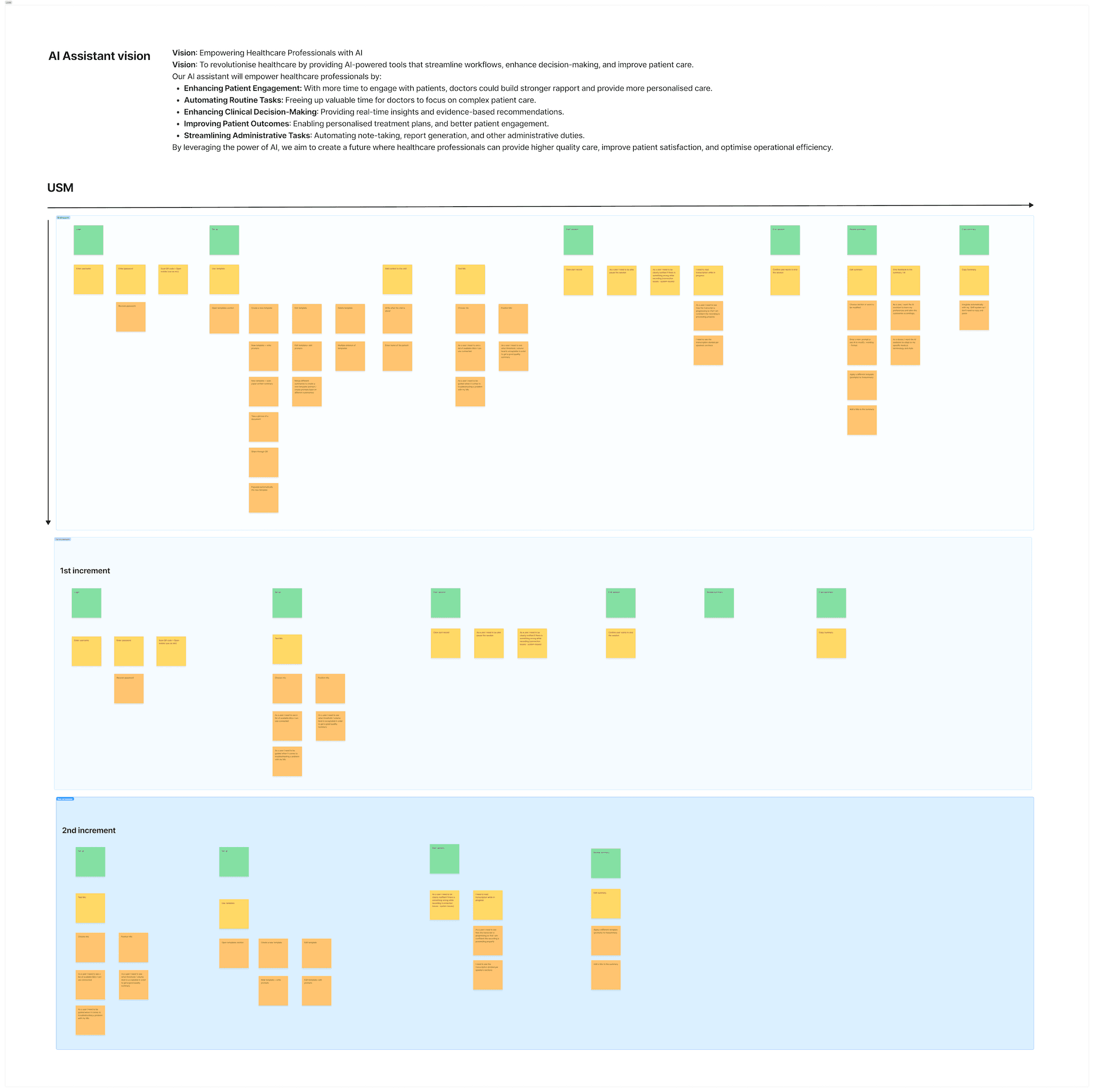
User Story Mapping & Prioritisation
Once we had a vision, I needed buy-in to define what we should build first.
The stakeholder’s feature list wasn’t useless — I “reverse-engineered” some of the features into user stories and placed it within the map I was building.
We had to move fast, and the USM helped us:
• understand the full flow from start to end
• share the same mental model
• prioritise what to launch with the MVP
• avoid random decision-making
It turned a chaotic list of features into a product direction that made sense.
Design Challenges & Insights
Design Challenges & Insights
1. The Templates Problem
The MVP summary was helpful. Feedback was positive — even if the backend sometimes struggled to generate clean summaries.
One recurring thing I heard from product experts was that doctors were editing the summaries in their CMS.
Everyone around me was shouting:
“Let doctors edit the transcript… Make editing the next feature”
But I needed to understand the behaviour better — not just rely on second-hand stories.
So I asked to speak directly with the doctors doing this.
When I showed them a quick prototype that allowed editing, I realised something important:
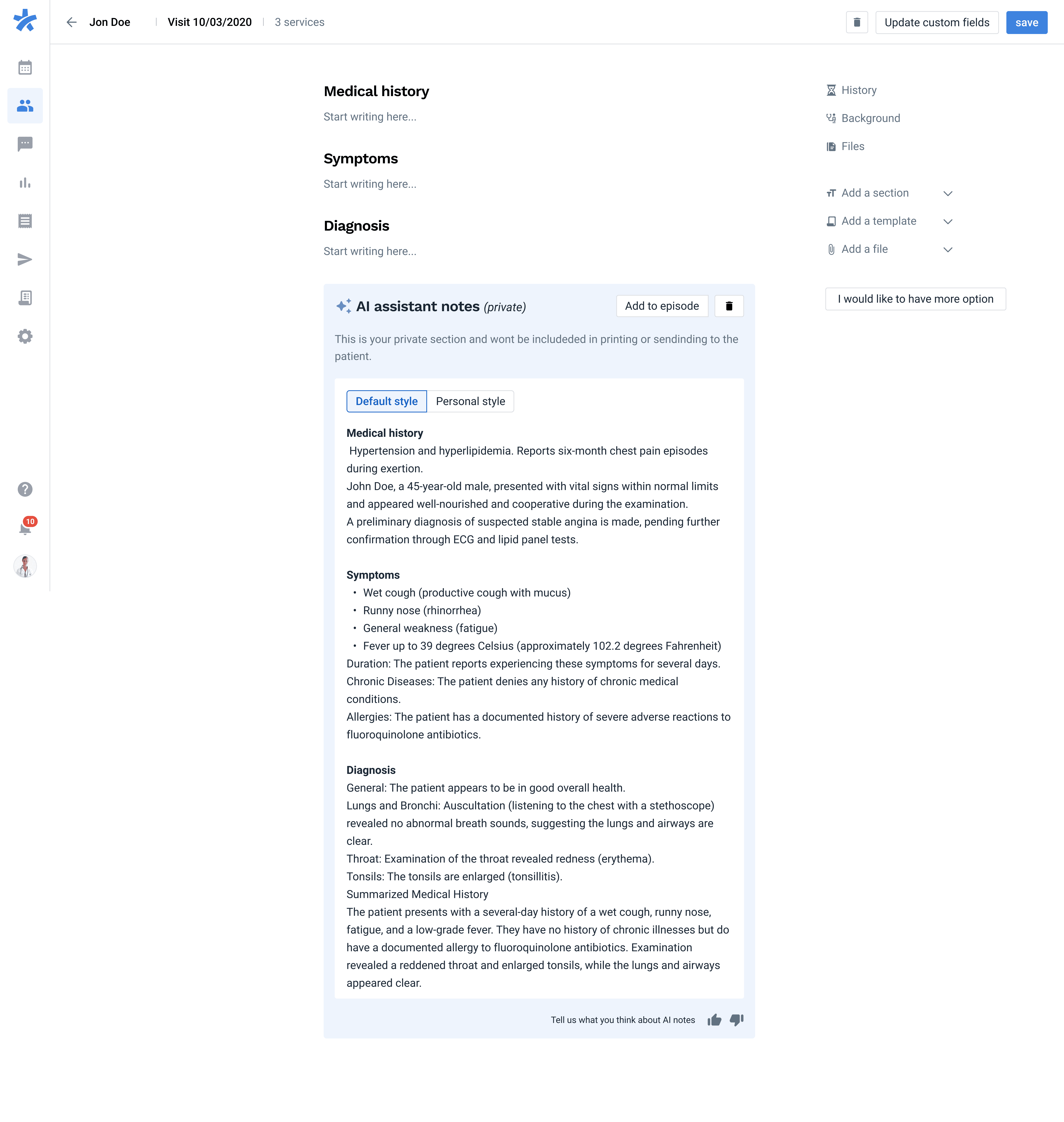
They weren’t actually editing the transcript itself. They were adding structure.
Headers, sub-headers, small sections.
Their own mental model of note-taking.
If we had followed the initial interpretation (“they need to edit everything”), we would have built something heavy, time-consuming, and honestly unnecessary.
My insight was:
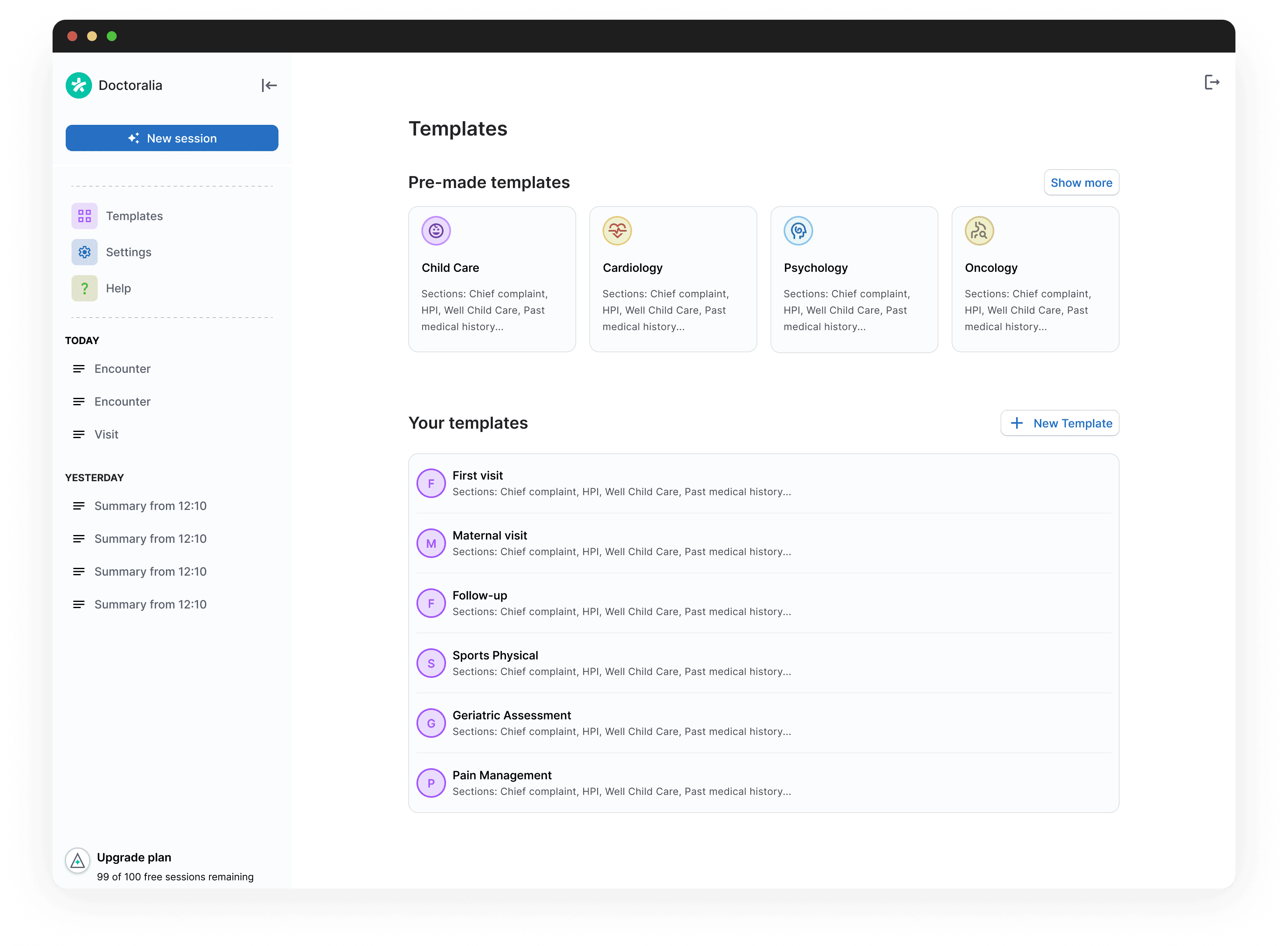
We don’t need transcript editing — we need templated summaries that reflect how different doctors think.
I created two base templates (nothing fancy):
• first visit
• follow-up visit
And added a way for doctors to customise or create new ones.
The longer-term idea was to learn from previous visits and automatically generate personalised transcript structures — driven by headers and prompts — but templates were an impactful first step.
This allowed us to deliver meaningful value earlier, and editing could always be layered on top later.
Impact
2. Positioning the Summary in the SaaS
The summary needed to live inside Patient Records in the main SaaS — a page owned by multiple teams.
Challenges:
• many dependencies
• multiple designers involved
• device differences (Brazil → tablets, Europe → desktops)
• technical constraints
• limited development time
To avoid designing something impossible to build:
• I mapped every dependency and every team involved
• I surfaced constraints early
• I involved other designers to co-create (sync + async sessions)
• I presented multiple options to PMs
This helped avoid siloing myself in a complex part of the product.
In the end, we co-owned a solution that was both feasible and a genuine quick win.