Docplanner - Patients Request
Docplanner supports millions of patients and doctors across Europe and Latin America. In 2024, I redesigned the patient request experience - transforming an unstructured, high-volume messaging channel into a streamlined, guided workflow that reduces manual workload for clinics and improves clarity for patients.
Role
Product Design
Designed for
Responsive web, Mobile App
Scope
Product Strategy, Product Research, UX Research, User Testing, UI & Prototyping
DSGN
Context & Problem
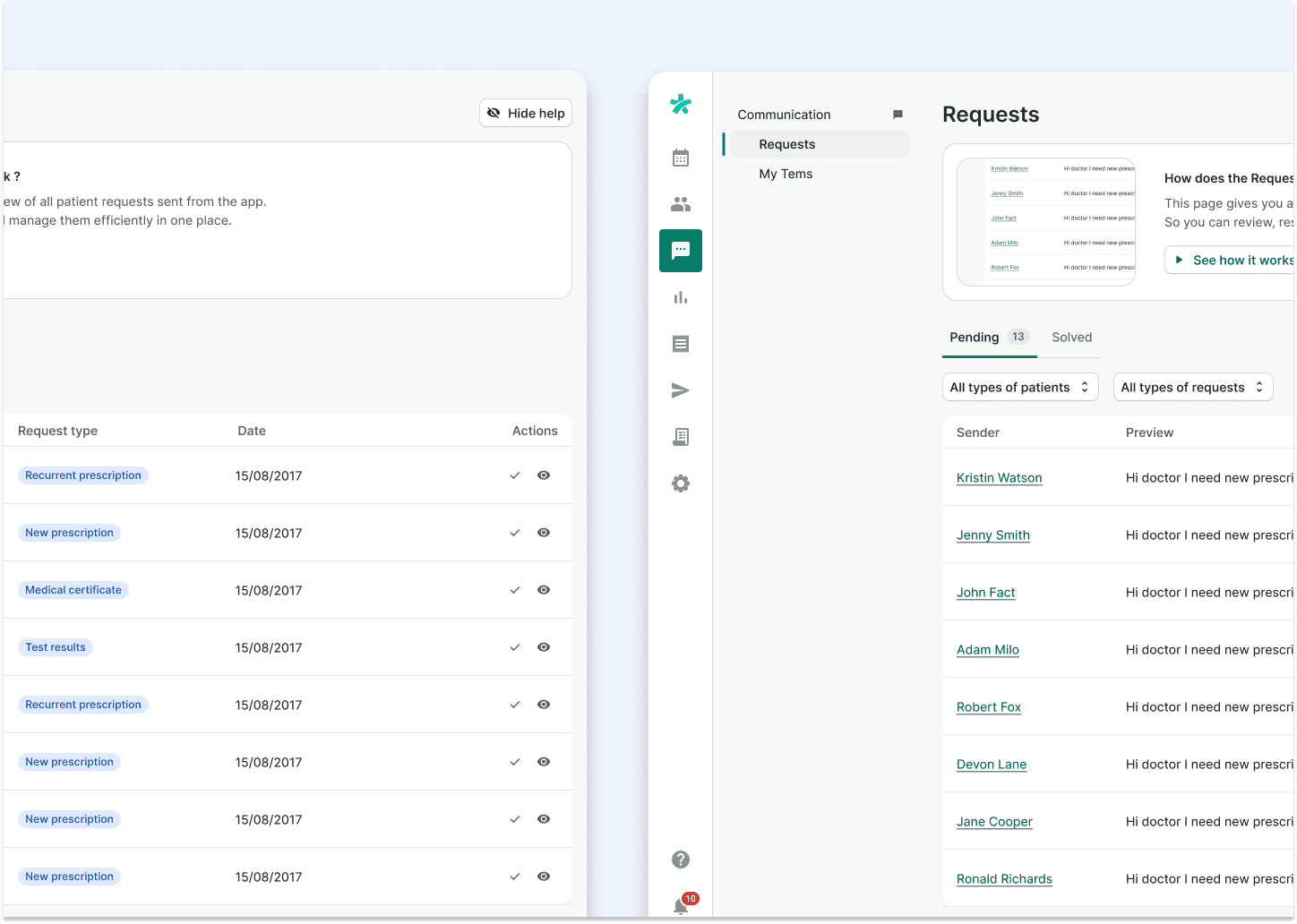
Doctors — especially GPs with large patient lists (sometimes up to 5,000 people) — face a constant flood of requests. These requests come from multiple channels: emails, phone calls, online forms, and very often WhatsApp messages sent directly to the doctor.
The problem is simple:
patients don’t always choose the right category when submitting a request (for example New Prescription vs Recurring Prescription), and when they don’t get an answer quickly, they jump to a different channel.
For doctors, this creates a messy and overwhelming workflow. They can’t rely on their categorisation system, they lose track of what’s urgent, and they spend far too much time switching between tools instead of focusing on patient care.
We needed a way to bring structure back to all this communication — and do it in a way that felt natural to how doctors already work.
Understanding the Workflow
At first, the conversations internally revolved around building a full omnichannel solution: email, WhatsApp, phone, everything connected into one place. But it became clear that before we built something big, we had to get the foundations right.
Based on the Opportunity Solution Tree and early chats with product experts, the first real problem to tackle was categorisation. If requests couldn’t be sorted properly, nothing else mattered.
So I started talking to doctors.
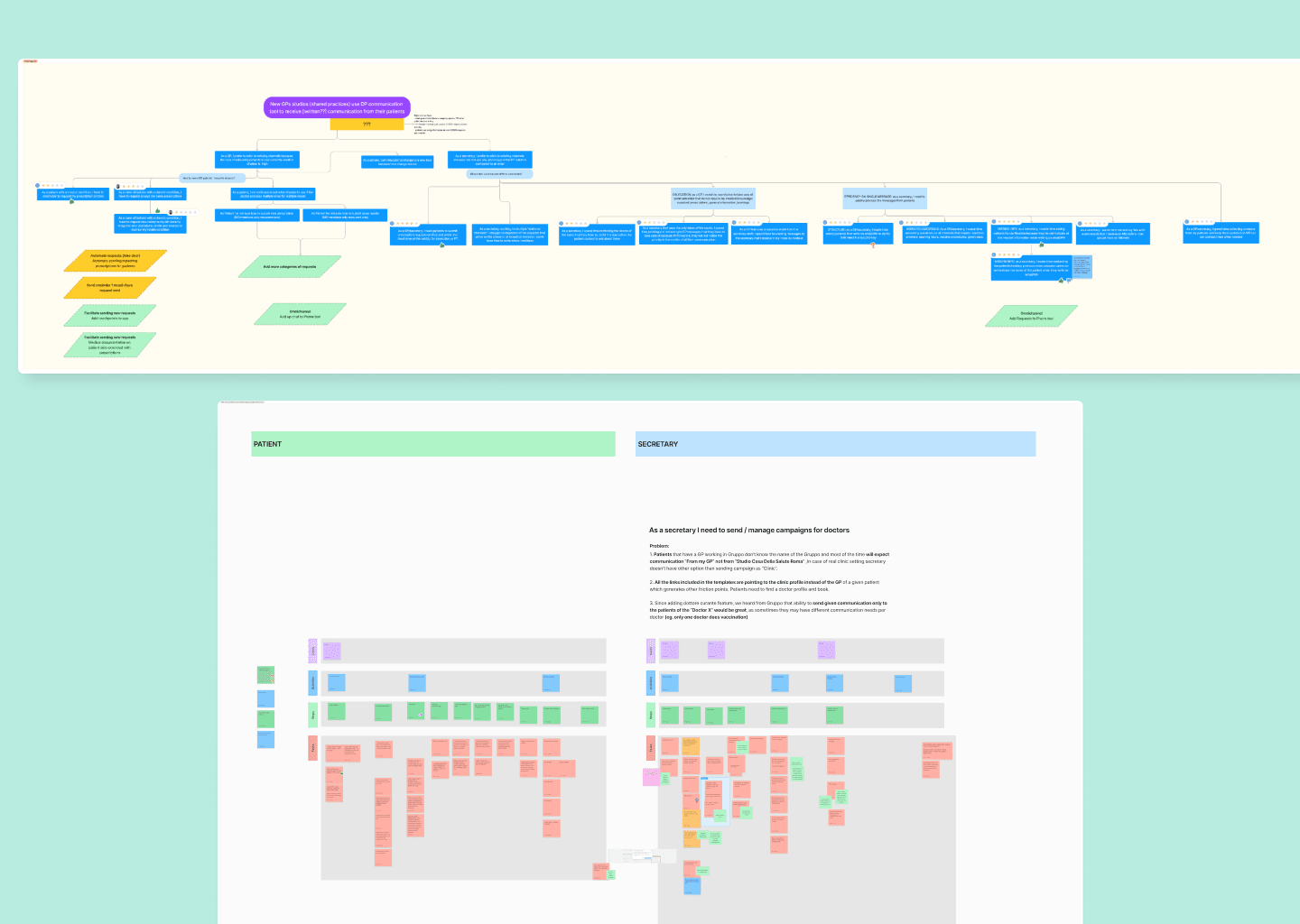
I ran open card-sorting sessions to understand their mental model and how they expected patients to communicate. This gave me the raw material to redesign the request flow and prototype different approaches to validate what made sense for them.
Research & Card Sorting
The research phase was all about clarity:
How do doctors think about requests? How do patients actually submit them? Where do things go wrong?
Card sorting sessions revealed patterns in how doctors group requests, the wording they prefer, and how they expect to find information.
What became really interesting was realising the gap between what doctors wanted patients to submit (a tidy, labelled request) and how patients actually behave (panicking and sending three different messages on three different channels).
This research didn’t just inform the redesign of the patient flow — it also shaped how the future communication manager could work.
Redesigning the Patient Request Flow
The patient request flow was the quickest win, and honestly, it was overdue for a cleanup.
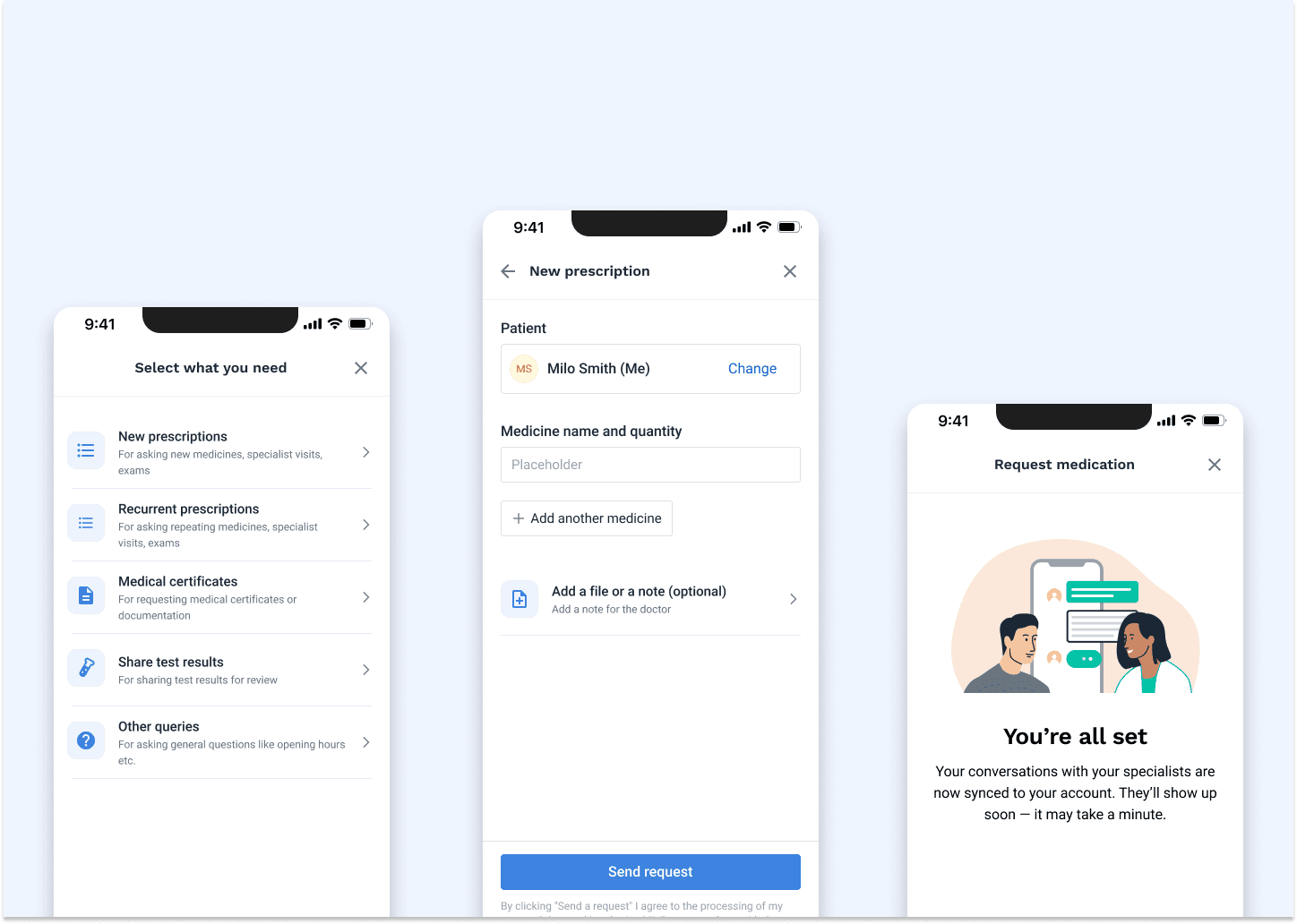
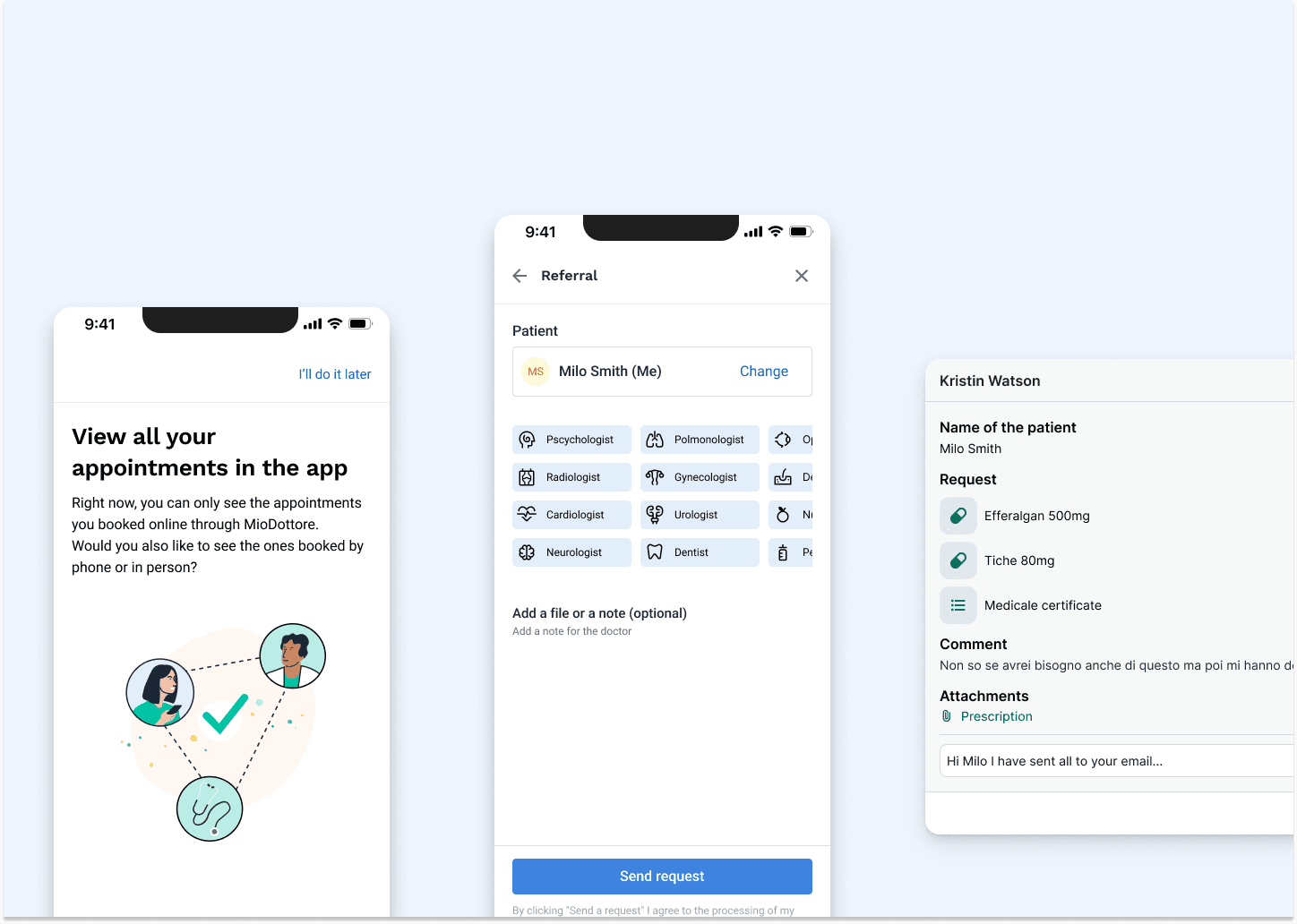
I simplified the steps, reduced unnecessary friction, and clarified the screen where patients add documents or attachments — a section that consistently created confusion.
Testing happened both remotely and in person. Several rounds highlighted two main issues:
• some copy was unclear or too “internal”
• some screens created too much cognitive load
After refining the flow and implementing these improvements, doctors immediately noticed a difference.
Categorised requests inside the SaaS became easier to scan, and they could instantly understand what needed attention. It made their day much more manageable.
This redesign laid the groundwork for bigger work ahead.
From Requests to Communication Hub
Once the request flow was in a solid place, I moved into designing the broader communication manager with both doctors and secretaries in mind.
This part was crucial:
Doctors rarely work alone — secretaries handle a big portion of administrative communication. So I started testing prototypes with pairs (doctor + secretary) to understand how they collaborate, how they hand off tasks, and where communication breaks down.
The insights were eye-opening.
Doctors weren’t just overwhelmed because of volume — they were overwhelmed because their tools didn’t reflect how their team actually worked.
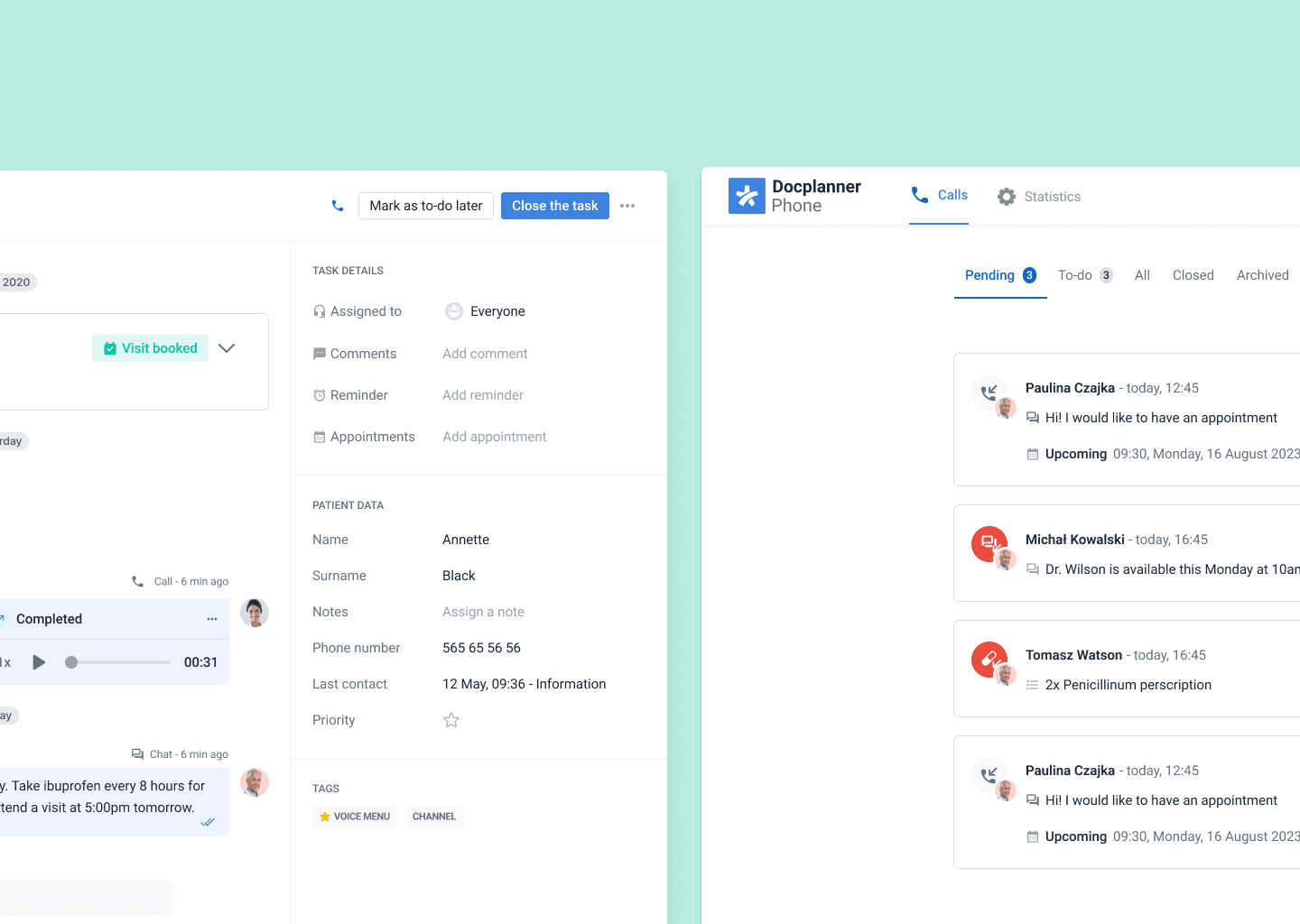
This research led us toward the structure of the communication hub: categorisation, visibility, history, and clear task ownership.
Key Insights
Across all sessions, a few things became very clear:
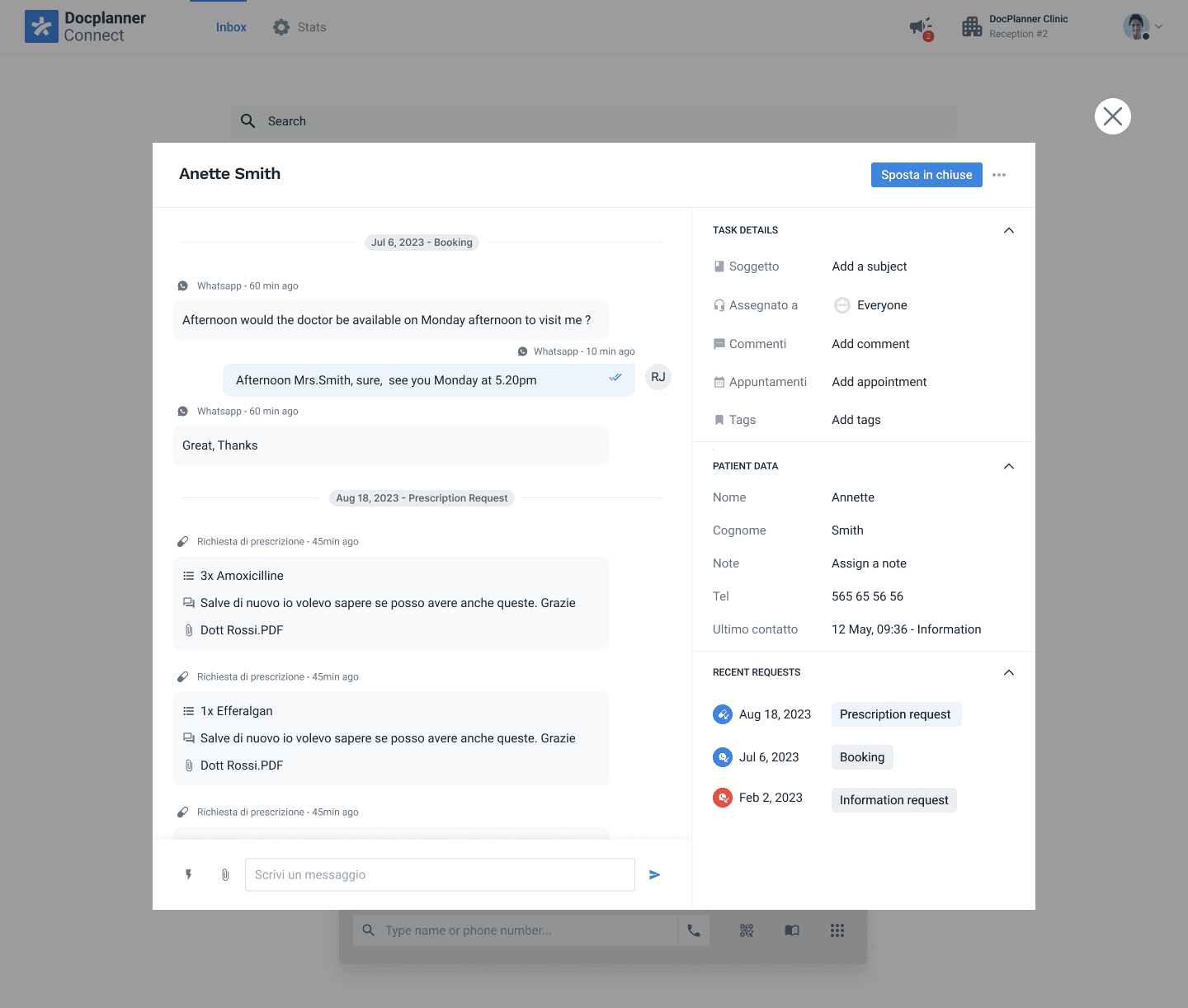
• Teams needed a way to see the full history of communication with a patient.
• Doctors and secretaries needed separate but coordinated spaces to work.
• Categorisation only works if it reflects real-world mental models.
• Search needed to be smarter and faster.
• Tasks had to be clearly marked as done or pending, without confusion.
These insights shaped both the immediate design work and the long-term vision for an omnichannel communication system.
Prototyping & Iteration
With the research in hand, I moved into rapid prototyping to validate solutions.
This phase included two particularly important areas:
1. History of Communication
We tried adding an accordion on top of the chat so doctors could open past requests. Testing showed it took up too much space and doctors wanted more power and flexibility.
So I extended the existing search feature instead: clicking “Search” now opened a modal where doctors could type keywords (patient name, type of request, symptoms, etc.) and instantly access past communication.
It was simple, lightweight, and fit naturally into their workflow.
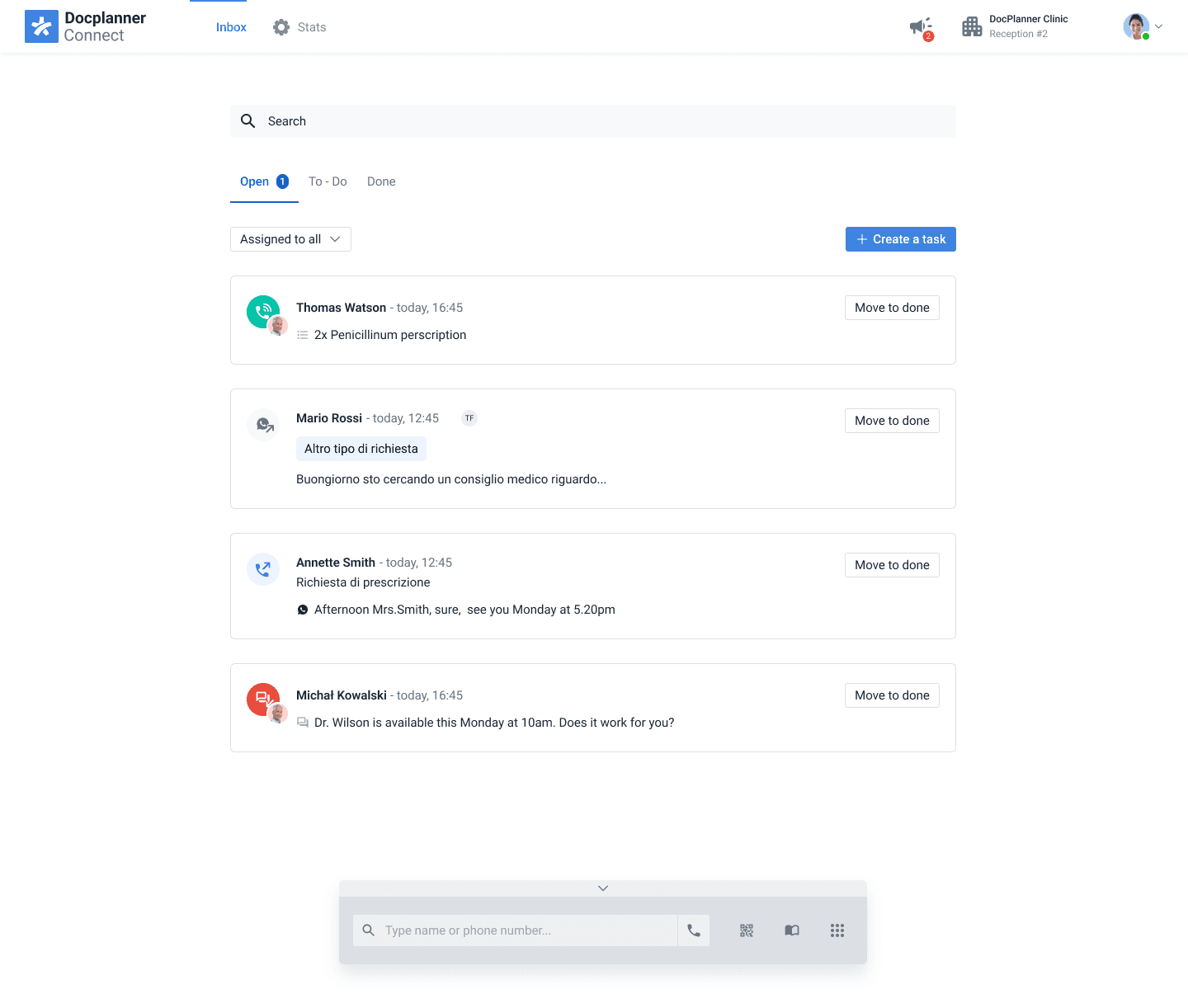
2. Open vs. To-Do Tabs
Our initial assumption was that both doctors and secretaries would use both tabs.
But testing proved the opposite:
• Open was used almost exclusively by doctors
• To-Do naturally became the secretary’s space
This unexpected split actually made the experience clearer and became a key design decision moving forward.
Final Outcomes
The project delivered two concrete outcomes:
1. A redesigned patient request flow
Cleaner, simpler, and easier for patients to use — and far more structured for doctors to process.
2. A validated foundation for the communication manager
Through testing, prototyping, and joint sessions with doctors and secretaries, we learned how communication truly flows inside a clinic. This helped define:
• clear categorisation
• shared task ownership
• accessible history
• doctor-secretary handoffs
• a more organised navigation system